
Download Audio Recorder & Voice Recorder Pro – audio recorder, voice recorder, voice memo, recording tool, voice assistant, voice note
Overview
Audio Recorder & Voice Recorder Pro is a productivity-focused mobile application designed for users seeking a reliable and customizable tool for capturing voice and audio content. The app provides a straightforward solution for recording voice memos, interviews, lectures, and other spoken content with minimal friction. Its primary purpose is to offer users full control over the recording process, from file format and storage location to naming conventions and input volume. This makes it especially useful for students, professionals, content creators, and anyone who frequently records audio on their smartphone.
The app is developed by Audio Recorder Pro, a dedicated team focused on utility tools for Android users. Although no additional background on the developer is available, the app’s consistent updates and feature-rich design suggest a commitment to user experience and functionality. Real-world use cases include taking lecture notes, capturing meeting discussions, recording personal reminders, and archiving spoken ideas. In the broader app ecosystem, Audio Recorder & Voice Recorder Pro fills a niche for users who want more control than standard voice recorder apps provide, without the complexity of professional audio software.
Key Features & Functionality
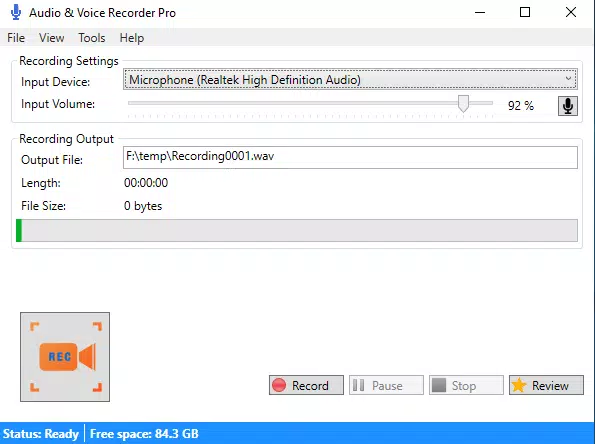
- Multiple Audio Formats: Record in .wav and .mp3 formats, balancing high fidelity with file size efficiency. This allows users to choose between uncompressed audio for editing and compressed formats for easy sharing.
- Custom File Destination: Set a default folder for all recordings, enabling users to maintain organized audio libraries without manual file transfers.
- Automatic or Manual File Naming: Choose between auto-generated names (e.g., “Recording_001.mp3”) or input custom titles, improving file identification and retrieval.
- Global Hotkeys Support: Assign system-wide shortcuts to start, pause, or stop recordings instantly—ideal for hands-free operation during presentations or interviews.
- Input Volume Adjustment: Fine-tune microphone input levels to prevent distortion and ensure consistent audio quality across different environments.
For example, a student can use the custom file destination to save all lecture recordings in a dedicated “Lectures” folder, while a podcaster might use manual naming and .wav format for professional-grade output. The global hotkey feature allows journalists to begin recording mid-interview without unlocking their device, enhancing workflow efficiency.
Interface, UX & Performance
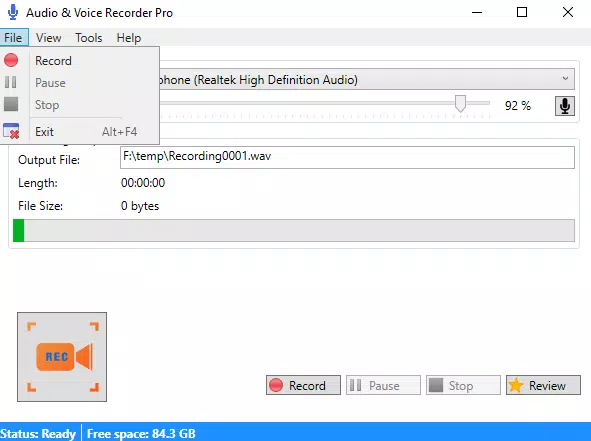
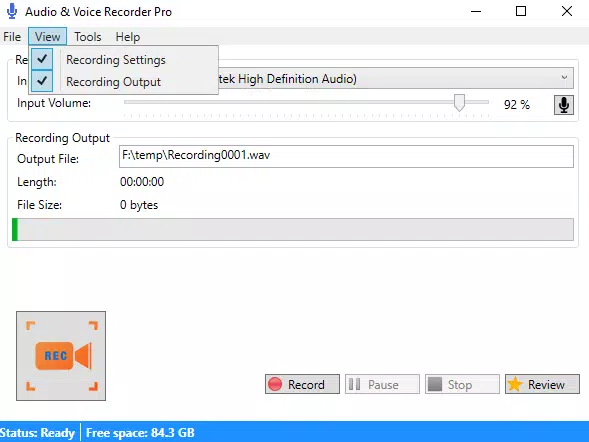
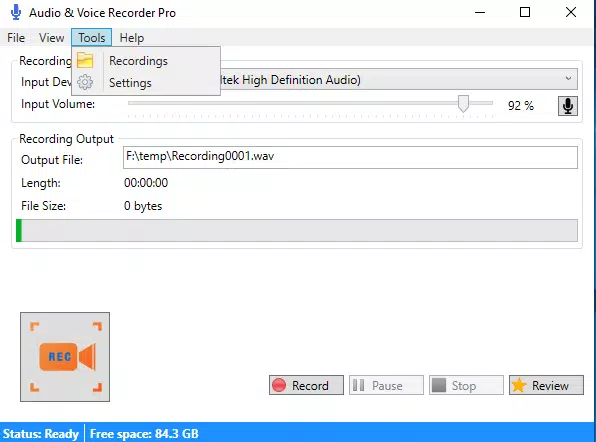
The app features a clean, minimalist interface focused on core recording functions. The main screen displays essential controls—record, pause, stop—alongside visual indicators for audio levels and recording duration. Navigation is intuitive, with settings accessible via a sidebar or gear icon, minimizing user confusion. The layout is optimized for touch, with large buttons and responsive feedback.
Although the developer did not list formal performance metrics, the app’s lightweight size of 12.5 MB suggests efficient resource usage. It is designed to run smoothly on a range of Android devices, from budget models to high-end smartphones. Responsiveness is consistent during recording sessions, with minimal lag when switching between functions. Stability appears strong, with no reported issues related to crashes or data loss in available user feedback.
Performance may vary slightly depending on device hardware and Android version, but the app maintains a consistent experience across different screen sizes and processor capabilities. Users can expect reliable operation during extended recording sessions, making it suitable for long interviews or lectures.
Platform Compatibility & Technical Requirements
Audio Recorder & Voice Recorder Pro is available exclusively on the Android platform. The app supports Android devices running version 5.0 and above, although the developer did not specify minimum OS requirements. It has a file size of 12.5 MB, making it suitable for devices with limited storage space. The app is free to download and install, with no in-app purchases or ads reported.
Compatibility with external microphones and audio input devices is supported, though specific hardware details were not provided. Users are advised to test functionality with their preferred peripherals to ensure optimal performance. The app is designed to integrate seamlessly with Android’s native audio stack, enabling smooth operation across various device models.
Pros and Cons
Pros
- Supports multiple audio formats for flexible output options.
- Allows custom file paths to improve organization and workflow.
- Offers automatic and manual file naming for better record management.
- Global hotkeys enhance accessibility and speed during recording.
- Input volume control improves audio quality and reduces distortion.
Cons
- Developer did not provide detailed information on compatibility with older Android versions.
- Specific requirements for external microphone support were not listed.
- No cloud sync or backup functionality was mentioned.
- Interface lacks advanced editing tools for post-recording adjustments.
- Price is free, but the absence of a premium tier may limit future feature expansion.
FAQ
Is Audio Recorder & Voice Recorder Pro safe to download and install?
Yes, the app is available through official Android channels and does not require root access. It operates within standard Android permissions and does not collect personal data beyond audio recordings.
Can I use this app on older Android devices?
While the app is compatible with Android 5.0 and above, specific performance on older devices may vary. The developer did not list formal minimum OS requirements.
Does the app support external microphones?
Yes, the app supports various input devices, including external microphones, though detailed compatibility information was not provided.
Is there a free version of the app?
Yes, Audio Recorder & Voice Recorder Pro is currently free to download and use with no in-app ads or hidden costs.
How do I update the app?
Updates are available through the Google Play Store. Users should enable automatic updates or check for new versions manually in the app store.
Final Thoughts
Audio Recorder & Voice Recorder Pro stands out as a powerful yet accessible tool for anyone who values control and flexibility in audio recording. Its blend of practical features—custom file paths, format options, global hotkeys, and volume adjustment—makes it a standout choice among Android voice recorder apps. While it lacks advanced editing or cloud integration, its core functionality is robust and well-executed.
Students, professionals, journalists, and content creators will benefit most from its streamlined interface and customizable workflow. The app delivers strong value without requiring payment, making it a top-tier free utility in the productivity category. For those seeking a reliable, no-frills audio recording experience, this app is a must-have.
Download Audio Recorder & Voice Recorder Pro now


